Session replay
On this page
A request's Story lists what its page did: the clicks, console errors and calls. Session replay also records what the page looked like and what you did between those rows, so you can watch what happened before it broke.
Session replay is off for every site until you turn it on, and it's part of Short Leash Pro.
How do I turn it on?
In Site settings › Monitor, turn on Session replay. It needs Browser capture on too, since Short Leash's browser script loads the recorder. From the next page the site serves, pages you open on this computer are recorded. Pages of sites with replay off never load the recorder.
How do I watch a recording?
Open a page's request: its Story has Replay. The page plays beside the Story, drawn as it was recorded, and the player's timeline is the Story's clock:
- Markers for the page's clicks, console messages, requests, errors and navigations light as the playhead passes them, and the Story marks the row it's on and keeps it in view.
- Click a row from the page in the Story to play from there.
- Pause on errors stops at each error; turn it off to play through.
- Play at 1×, 2× or 4×, and step to the previous or next event.
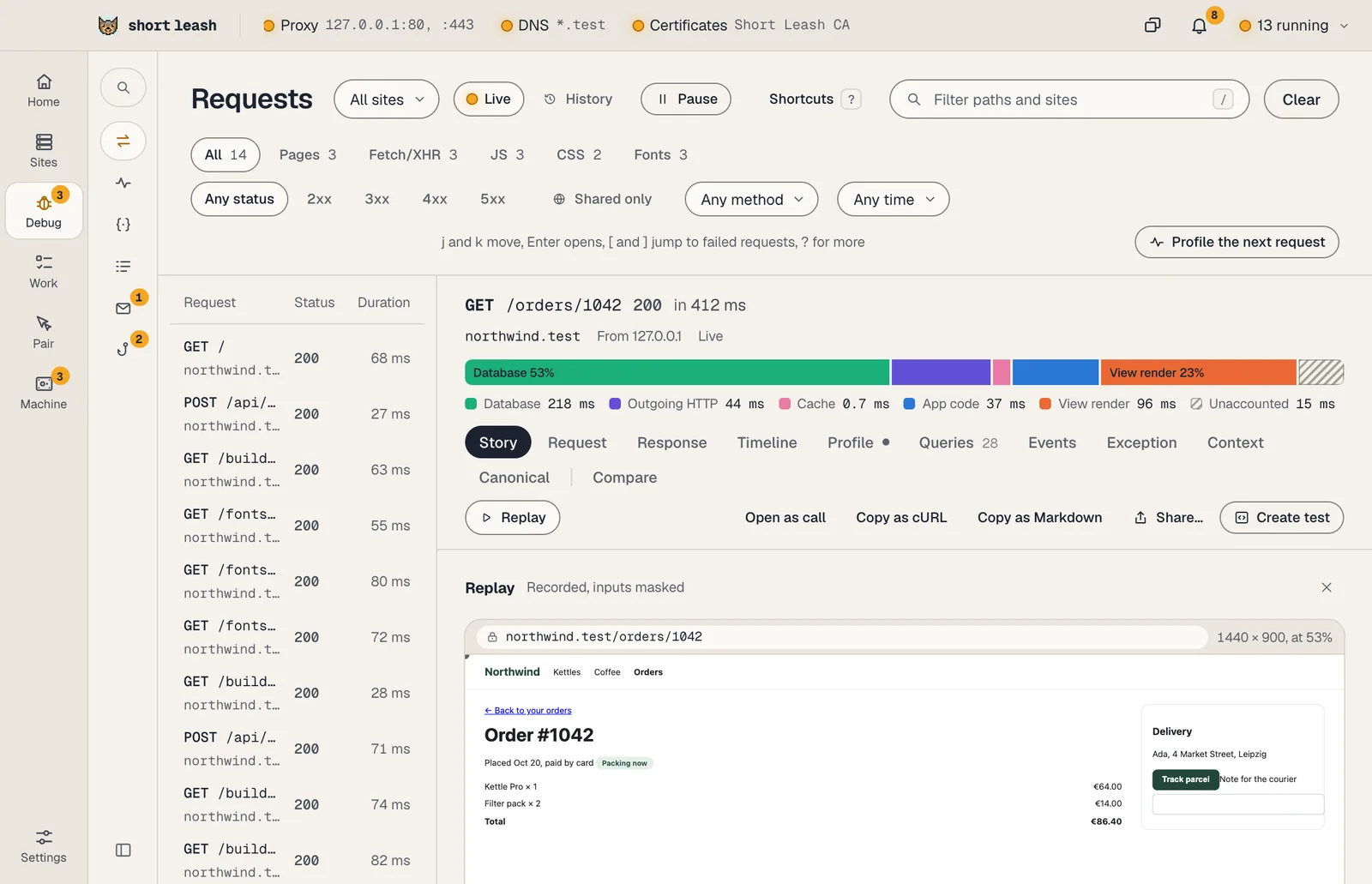
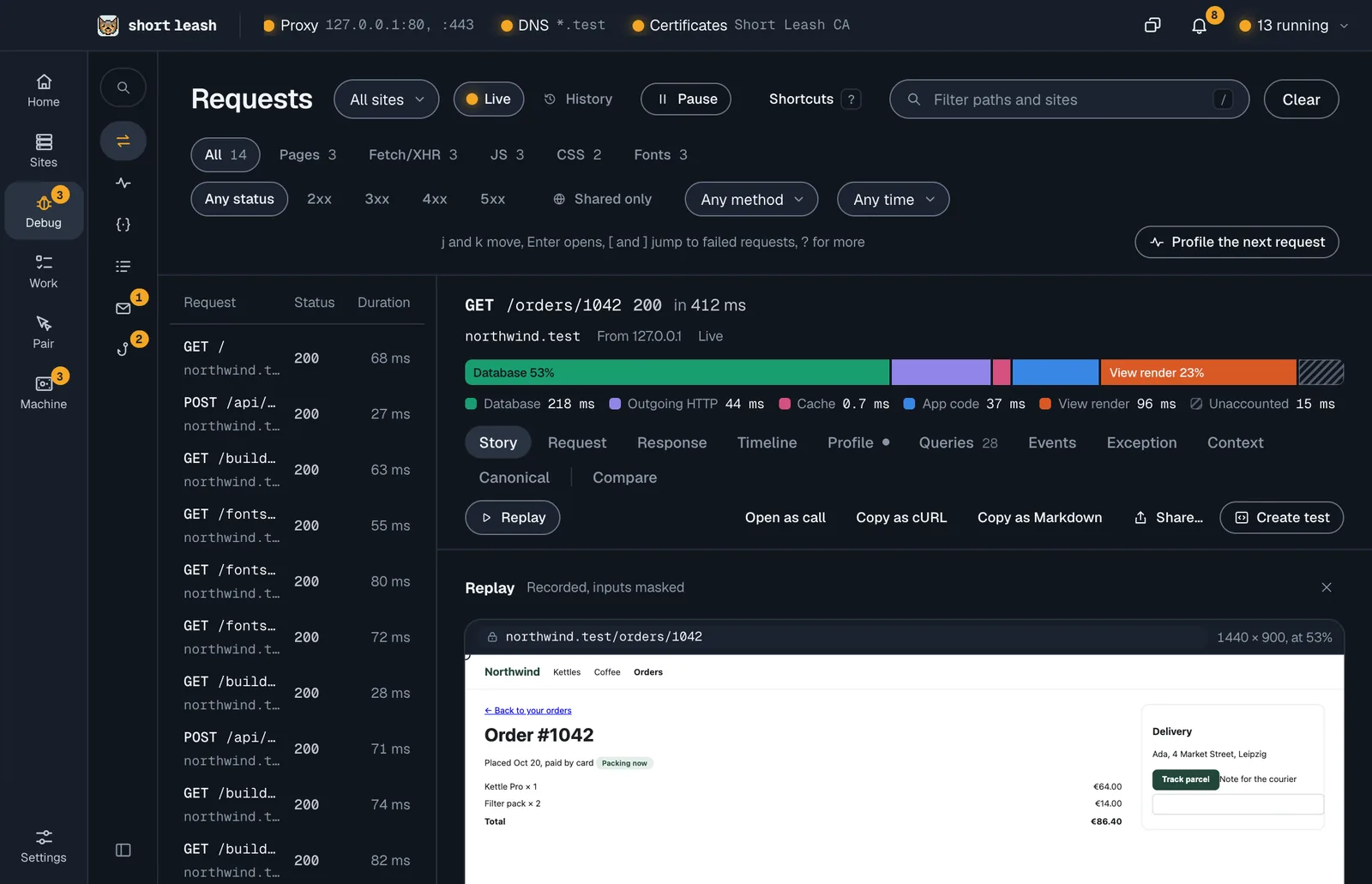
The page is drawn in a sandboxed frame that runs none of its scripts and takes no clicks. Its pictures load from your site as it is now, so a picture the site no longer serves is missing from the replay.
What's recorded?
The page's content as it's drawn and each change to it, the pointer, scrolling, the window's size and the page's address. Canvases, fonts, frames from other sites, and the page's console and network aren't recorded; the Story already has the console and network.
What's masked?
- Every input, as it's recorded, in your browser: every kind of field, hidden ones too, shows as stars of its length. You see that something was typed, never what.
- Text in an editor (
contenteditable) is masked. - Mark anything else to mask with
data-leash-mask, and anything to leave out of the recording entirely withdata-leash-block. - Attributes with secret names, such as a CSRF meta tag's
content, adata-api-keyor a hidden_tokenfield, are masked before they leave the page, and masked again by the Monitor's own rules before they're saved.
What the page shows is otherwise recorded as drawn: a page showing someone's address records it, on your computer.
Is anything recorded for visitors through a share?
No. Visits through a share link never get Short Leash's browser script, so they're never recorded, and Short Leash never shows a recording for a request that came through a share. Their requests are still in the Story, masked harder.
How long are recordings kept?
A recording is kept with the request that served its page, on your computer in the Monitor's history, and goes when that request goes: by the Monitor's days (7 until you change them in Settings › Monitor), or sooner when history is full. One page records for at most 30 minutes and 4 MB; past that the recording stops and says so. Recordings have their own 256 MB inside the Monitor's limit, oldest first, and Clear history clears them. Nothing is sent anywhere.
Does it slow pages down?
Pages of a site with replay on fetch about 80 KB more script once, then from the browser's cache, without holding up the page, and recording costs a little time on pages that change a lot. A page whose security policy doesn't allow its own scripts gets no browser script, so no replay either.