Pair on your code, and hand over the keyboard when you choose
Pair is a call for you and up to three people. Talk, share your screen, and give one of them your mouse and keyboard; move your own mouse and control is yours again. The call goes straight between your computers, encrypted, and Short Leash keeps no copy.
Hosting a call is part of Short Leash Pro; joining one is free. Every Pro feature is on for your first 14 days. Pricing
Short Leash's Pair screen during a call. Ana Lima asks to join and is let in. Sam, who shares his screen, gives Ana control: a cyan frame goes round his screen and Ana's name follows the pointer. Sam moves his mouse and control comes straight back to him. Then Ana draws a mark on the shared screen, and it fades a few seconds later.
Control is given, never taken
While you share your screen, Give control next to someone's name hands them your mouse and keyboard, in one click. A cyan frame goes round your screen and their name follows the pointer, so everyone can see who's driving.
Move your mouse or touch a key and control comes straight back, as do Take back control and Stop sharing. Even with control, nobody reaches the apps you protect in Settings › Pair, types while a Mac's secure typing is on (as in a password field), or types into an administrator window on Windows.
- One person has control at a time; anyone can Ask for control
- Password managers are protected unless you change the list, and on a Mac Keychain Access and System Settings too
- Shortcuts that quit, switch or lock, such as ⌘Q and ⌘Tab on a Mac, are held back
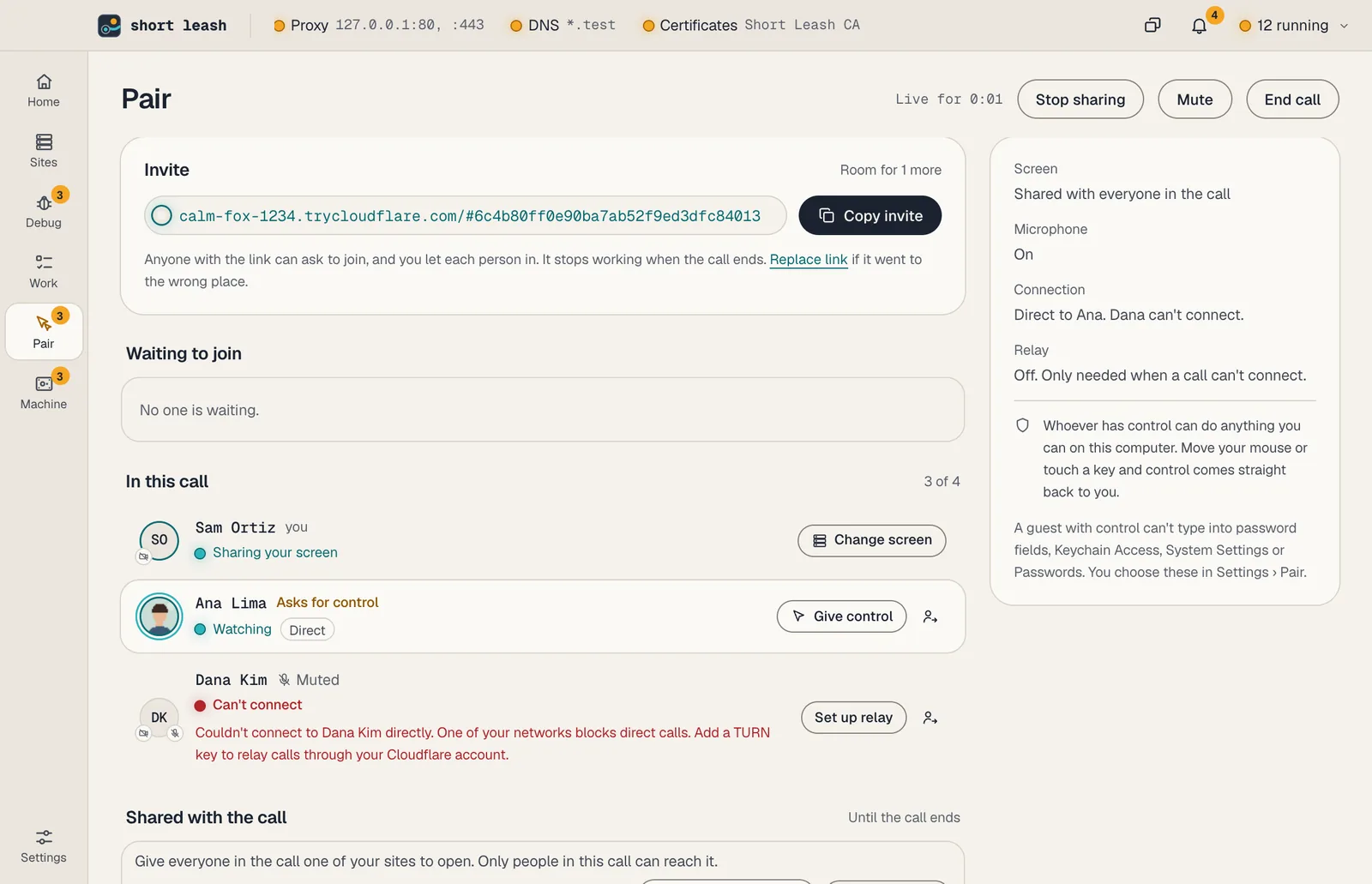
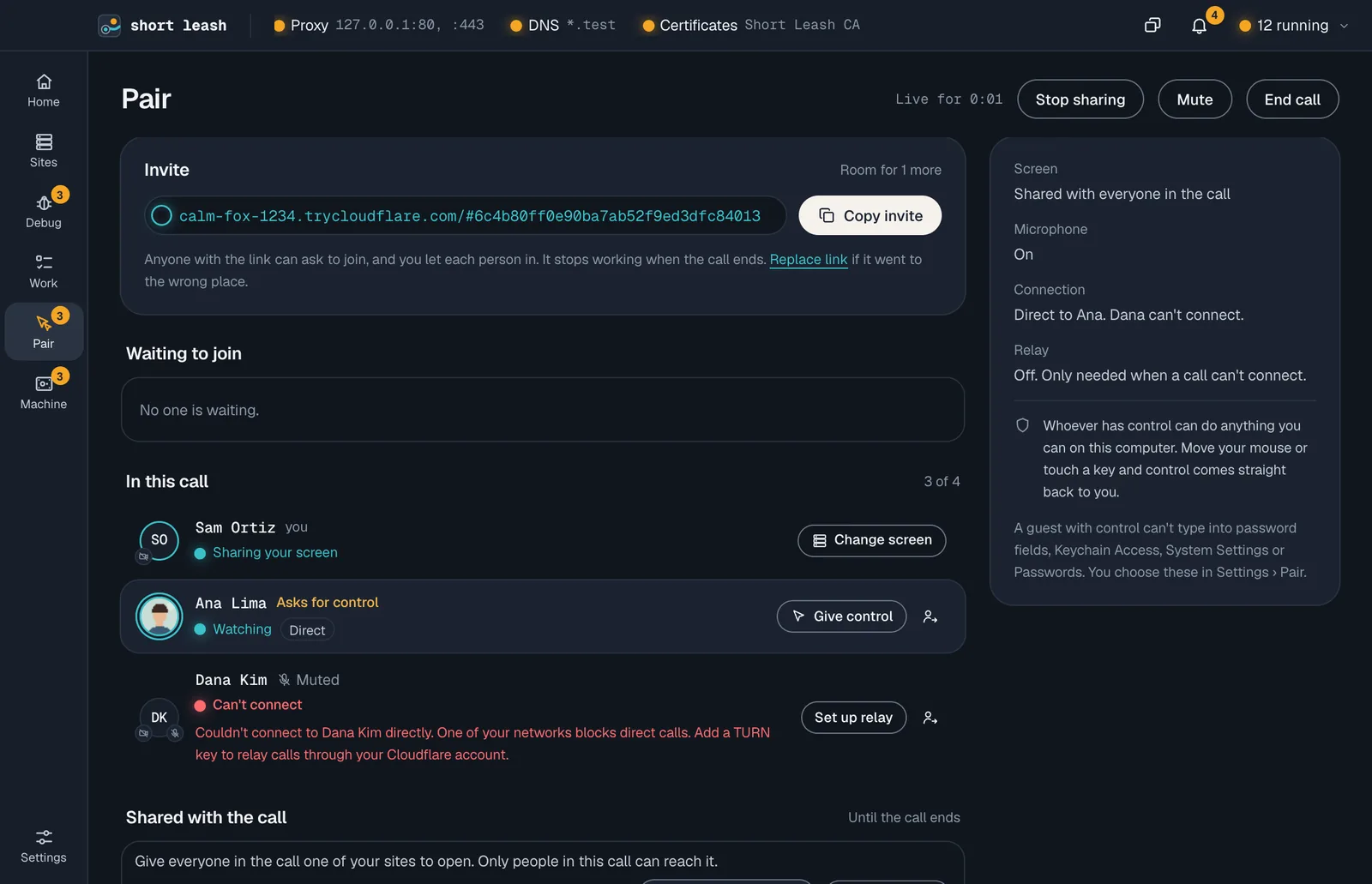
Draw on the screen, share a site or a terminal
While someone else shares, choose Draw and mark their screen. Everyone sees it in that person's color, and each mark fades a few seconds after it's finished. Clear marks removes them all.
Share a site lets people in the call open one of your sites, served from your computer and reachable only from the call. Share a terminal lets them watch one of yours, and Give Ana the keyboard lets one of them type into it and nothing else.
From Short Leash, a browser or a phone
Calls run between Macs and Windows PCs, and a guest's shortcuts do what they meant on yours: ⌘C is Ctrl+C. Screens are sent as AV1 or VP9, sharp enough for code, and cameras at the size you show them.
Without Short Leash, a guest opens the invite in a browser, on a computer or a phone, to watch, talk and show their camera. Nothing is installed and nothing is recorded. Take notes in the call bar turns the call into meeting notes on your computer.
- Copy invite, then Let in each person: names aren't checked
- A relay through your own Cloudflare account when a network blocks direct calls
From your terminal and your assistant
The leash command
leash pair startleash pair statusleash pair let-in 1leash pair give-control 1leash pair endEvery command is in the CLI reference.
Tools your coding assistant can use
Connect Short Leash once with claude mcp add --scope user leash -- leash mcp; Settings › Coding assistants (MCP) has the setup for other assistants. Coding assistants
Questions
Can someone take control of my computer without asking?
No. Only the person sharing a screen gives control of it, with Give control, and one person has it at a time. Move your mouse or touch a key and it comes straight back. Coding assistants connected through leash mcp can't give control.
Do the people I invite need Short Leash?
Not to watch and talk. They can join from Chrome, Edge, Firefox or Safari, on a computer or a phone, with Join in this browser. To be given control, draw, or open a site or terminal you share, they need Short Leash on a Mac or a Windows PC.
Does the call go through a server?
No. Everyone connects straight to everyone, encrypted end to end; the invite's tunnel only carries the setup. If a network blocks direct calls, you can relay them through Cloudflare's TURN service on your own Cloudflare account.
How many people can be in a call?
Four, counting you: you and up to three others. The invite works while the call lasts, and you let each person in yourself.
Start free, try Pro for 14 days
Download Short Leash for Mac or Windows. Every Pro feature is on for your first 14 days, with no card and no account.