Monitor alerts
On this page
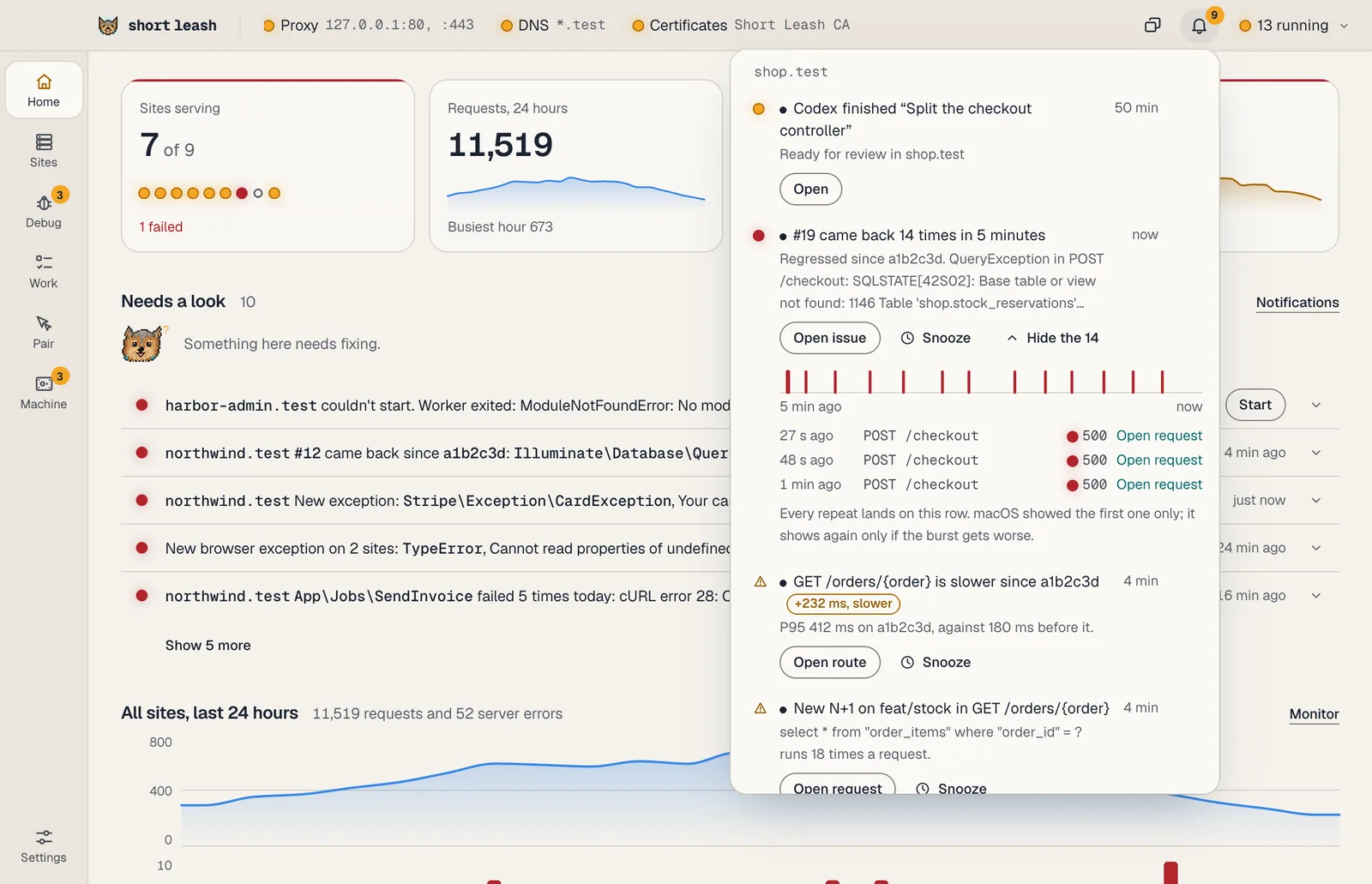
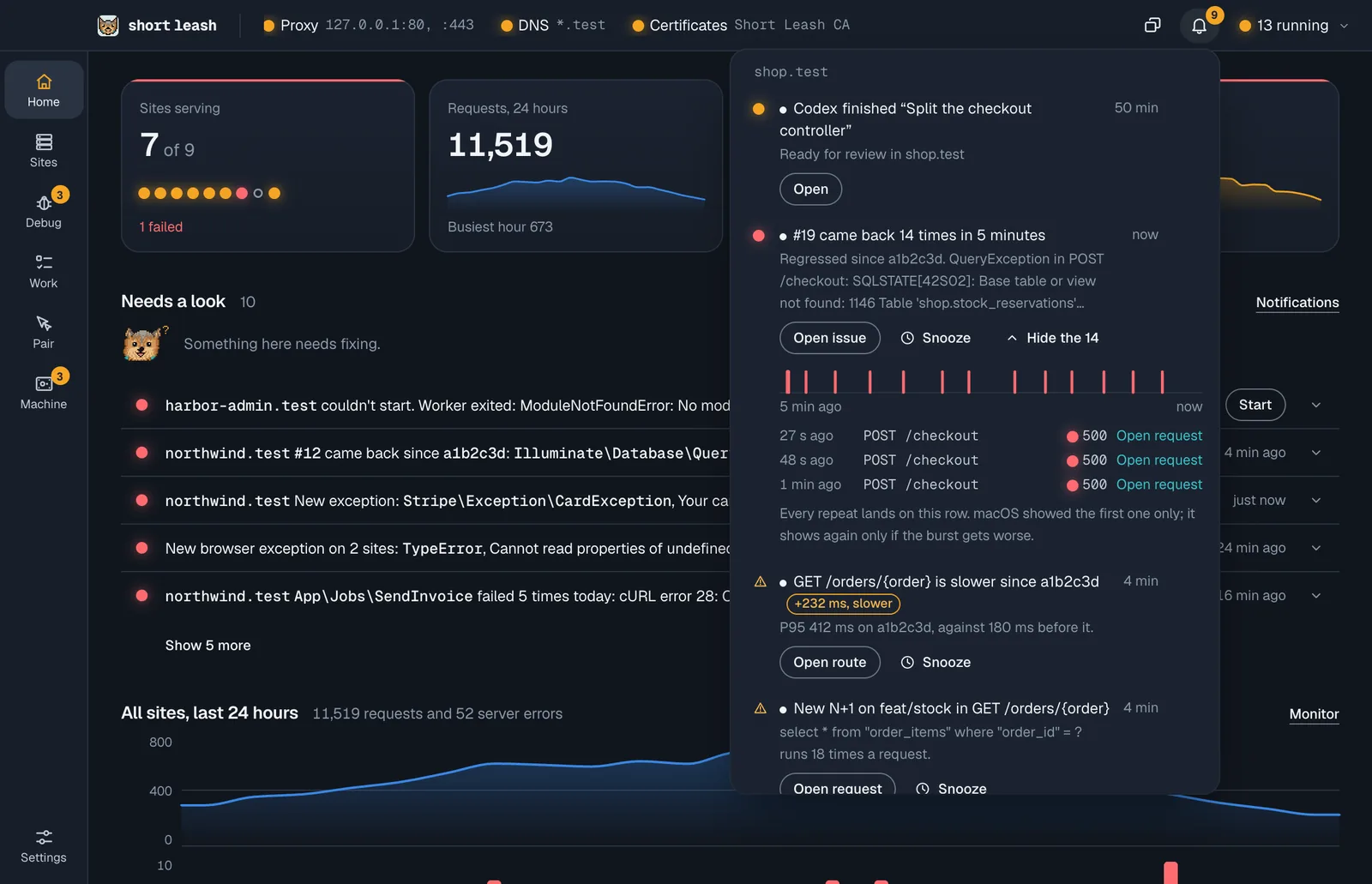
The Monitor watches your sites while you work and raises an alert when something changes for the worse. Each alert opens what it's about: the issue, the route, the request with the N+1 or the job's failed run.
Alerts are part of Short Leash Pro, like the rest of the Monitor.
What raises an alert?
| Kind | When | Shows to begin with |
|---|---|---|
| New issue | An exception the Monitor hasn't seen before becomes an issue | In app and system |
| Issue came back | A resolved issue happens again: it's Regressed, with the commit it came back in | In app and system |
| Route slower since a commit | A route's P95 rises by 30% and at least 50 ms after a commit | In app |
| New N+1 on a branch | An N+1 the branch has and its base branch doesn't (the base you chose on the site's Changes page, or main) |
In app |
| Failed job | A job, command or scheduled task fails its last try | In app and system |
Each is raised once, and again only if it gets worse.
How do I choose where they show?
In Settings › Monitor › Alerts, each kind can be:
- Off: not raised;
- In app: added to the bell;
- In app and system: added to the bell and shown as a desktop notification while Short Leash's window isn't in front.
Rules for picks Every site, the defaults, or one site. A site follows every site's rule for each kind until you give it its own, which you can also do in Site settings › Monitor. The Monitor row in Settings › Notifications still turns them all off at once.
What are quiet hours?
Turn on Quiet hours in Settings › Monitor › Alerts and alerts stay off the desktop between the times you pick (22:00 to 08:00 until you change them), every day, on weekdays or at weekends. They still reach the bell. Quiet hours are the same for every site.
Can I snooze an alert?
Yes. Snooze on an alert, in the bell or on the desktop notification, stops it for 1 hour, for a day, or until the next commit when it's about one. While it's snoozed, the same alert raises nothing. Snoozed alerts wait under Snoozed in the bell and in the alert settings, each with when it wakes and Wake to bring it back now.
A site keeps up to 100 snoozes; past that the oldest wake.
What happens when the same thing keeps happening?
Repeats of an alert within 5 minutes fold into one row that counts, with its latest repeats beside it. It shows on the desktop once, and again only when it gets much worse (past 100, 1,000 or 10,000). A site's alerts reach the desktop at most once a minute; the rest wait in the bell.
Where are alerts kept?
An alert is a notification, kept in memory with the rest until you dismiss it or Short Leash restarts (see Notifications). Your rules and quiet hours are saved in Short Leash's config.toml, and a site's own rules and snoozes in its settings there. Nothing is sent anywhere.