See what every request did, from the page to the query
Short Leash's Monitor records what each request to your sites did, from the browser's timings to every query, and finds the slow routes, N+1s and exceptions for you. It keeps 7 days or 1 GB on your computer, with secrets masked.
The Monitor is part of Short Leash Pro. Every Pro feature is on for your first 14 days. Pricing
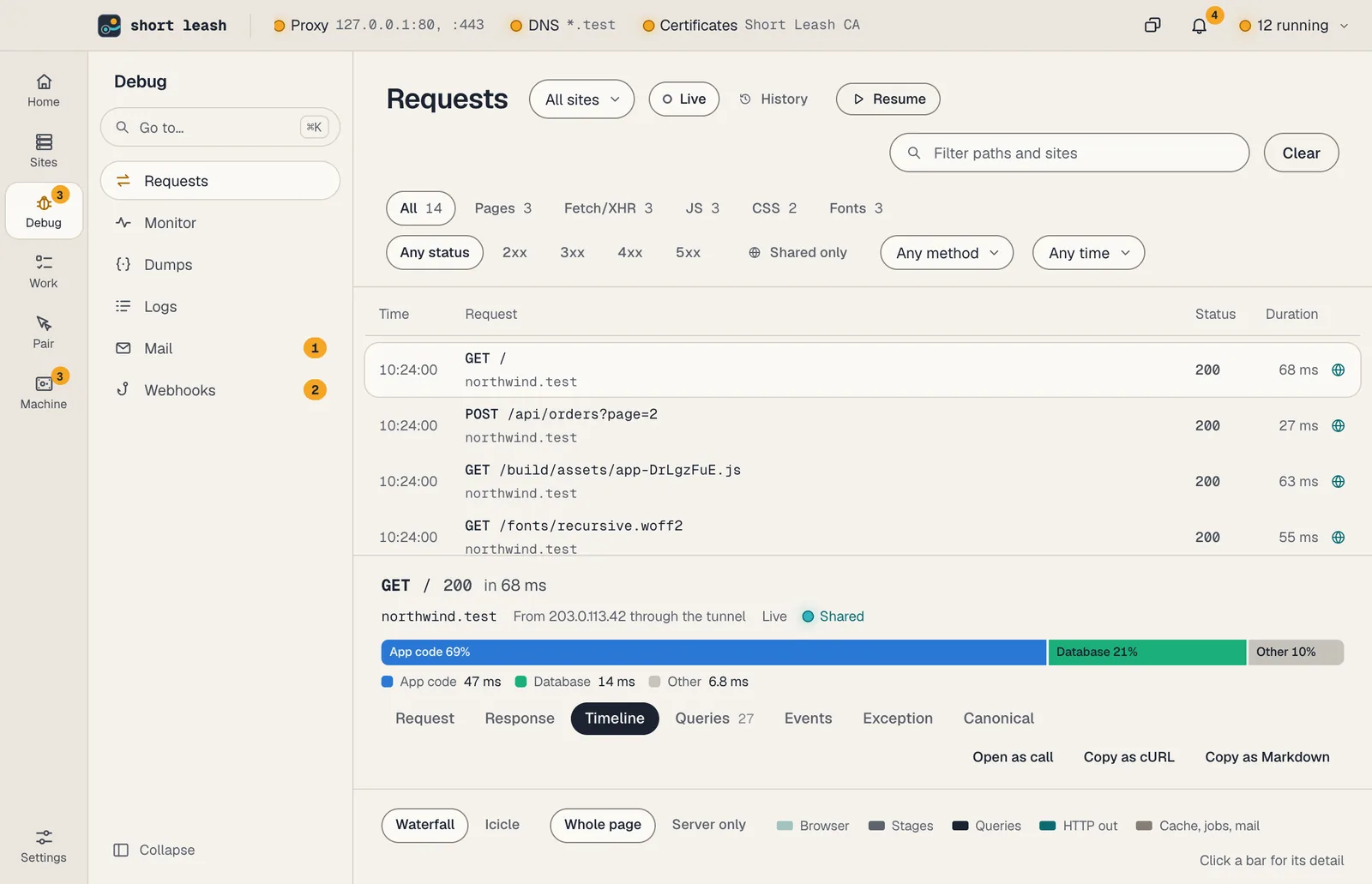
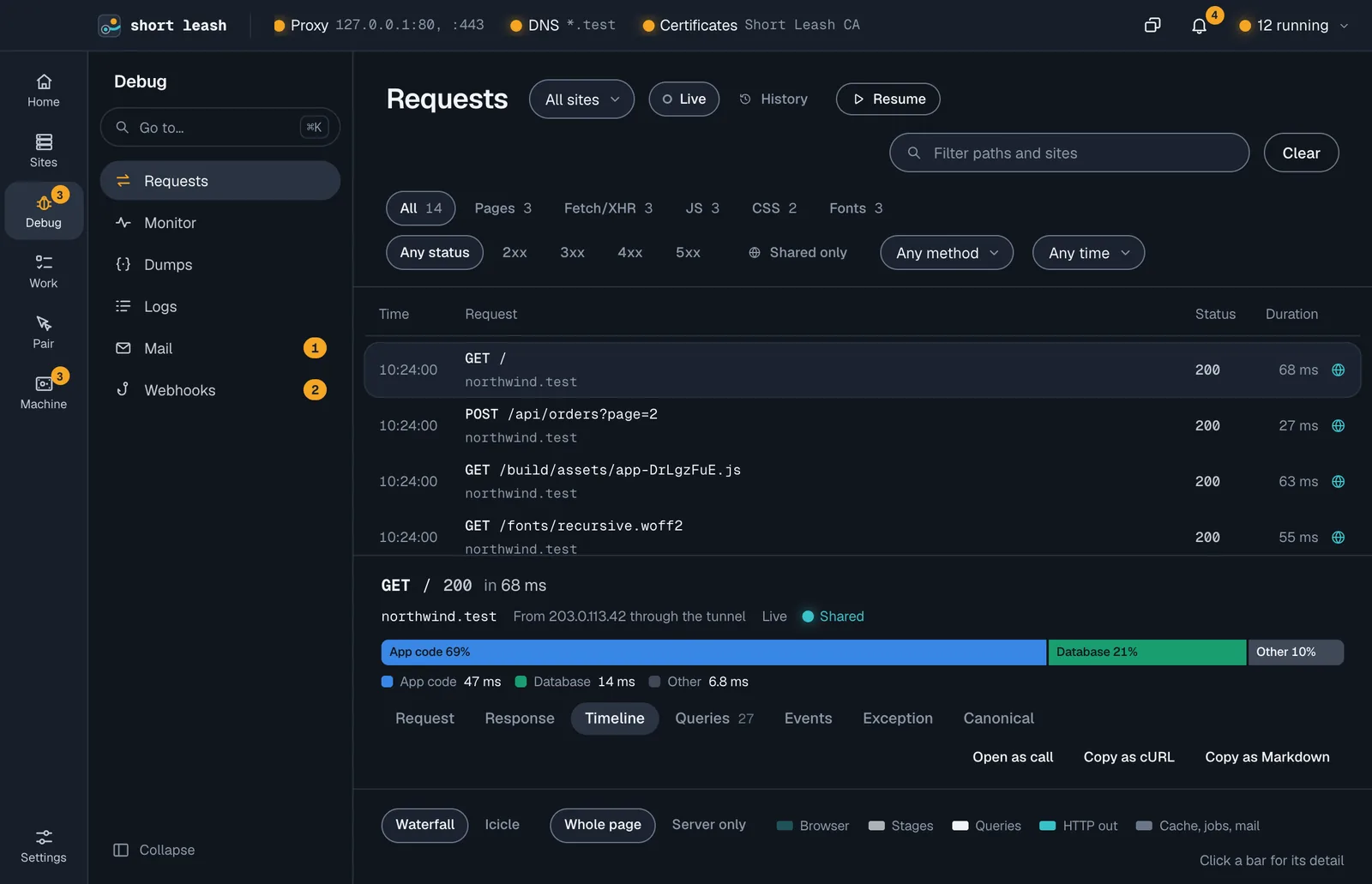
Requests to northwind arrive on Short Leash's Requests screen. GET /orders opens and its trace draws in: the server's stages, one query for the orders, then the same customers query 38 times. Short Leash marks it as an N+1, shows its SQL, and suggests loading the customers with the orders in one query.
Every request, traced
Requests lists each request to your sites as it happens. Open one and its Timeline draws the server's stages, then every query, cache read, mail, log line and outgoing call where it happened. For a page, the browser's timings sit on the same axis.
The Queries tab groups queries by shape, marks N+1s and duplicates, and has Explain for a query's plan.
- Local and shared requests, with headers and bodies
- Stages, queries, cache, mail, logs and calls out on one timeline
- Copy as cURL, Copy as Markdown and Open as call on any request
Slow routes and N+1s, counted for you
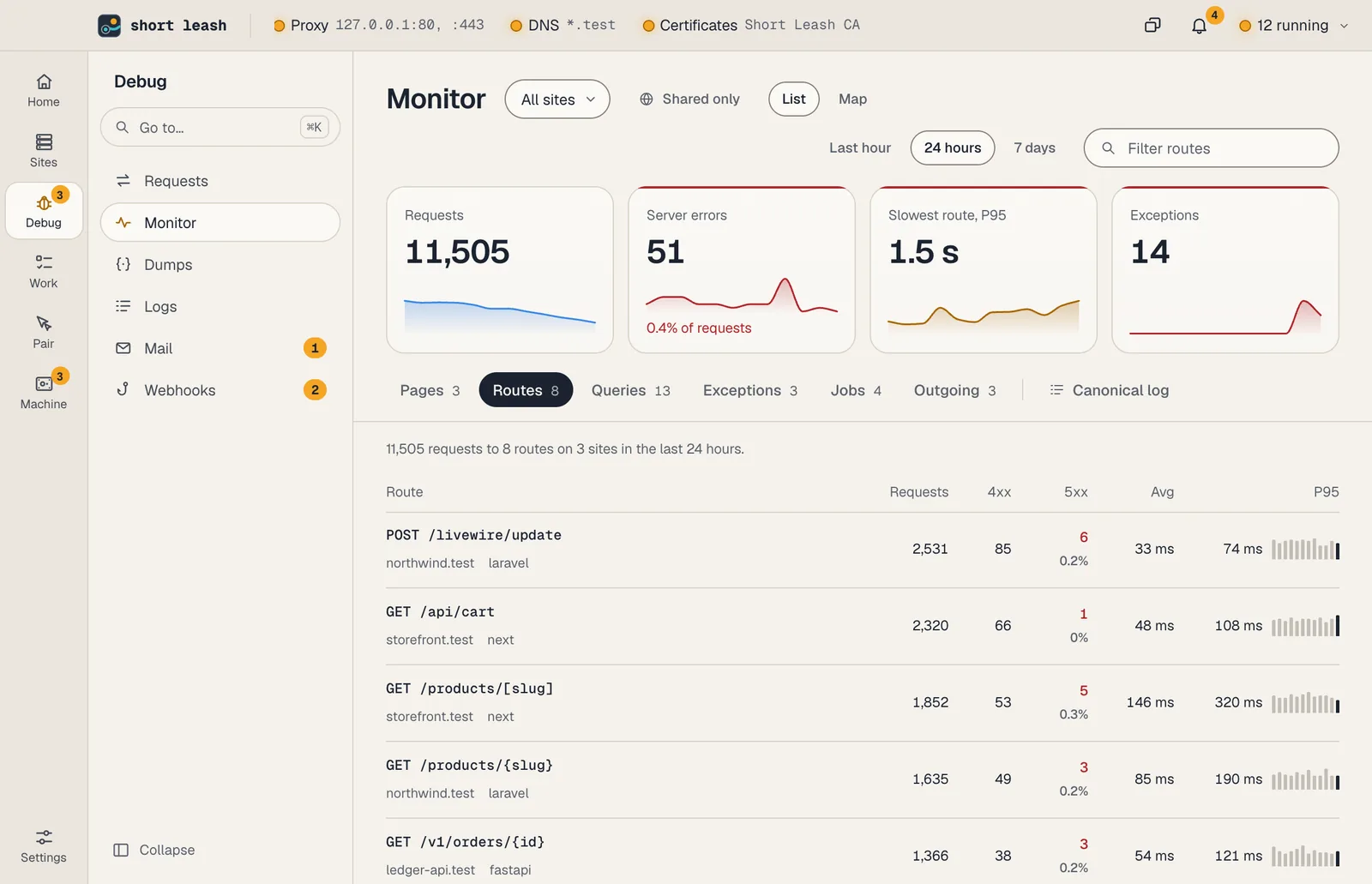
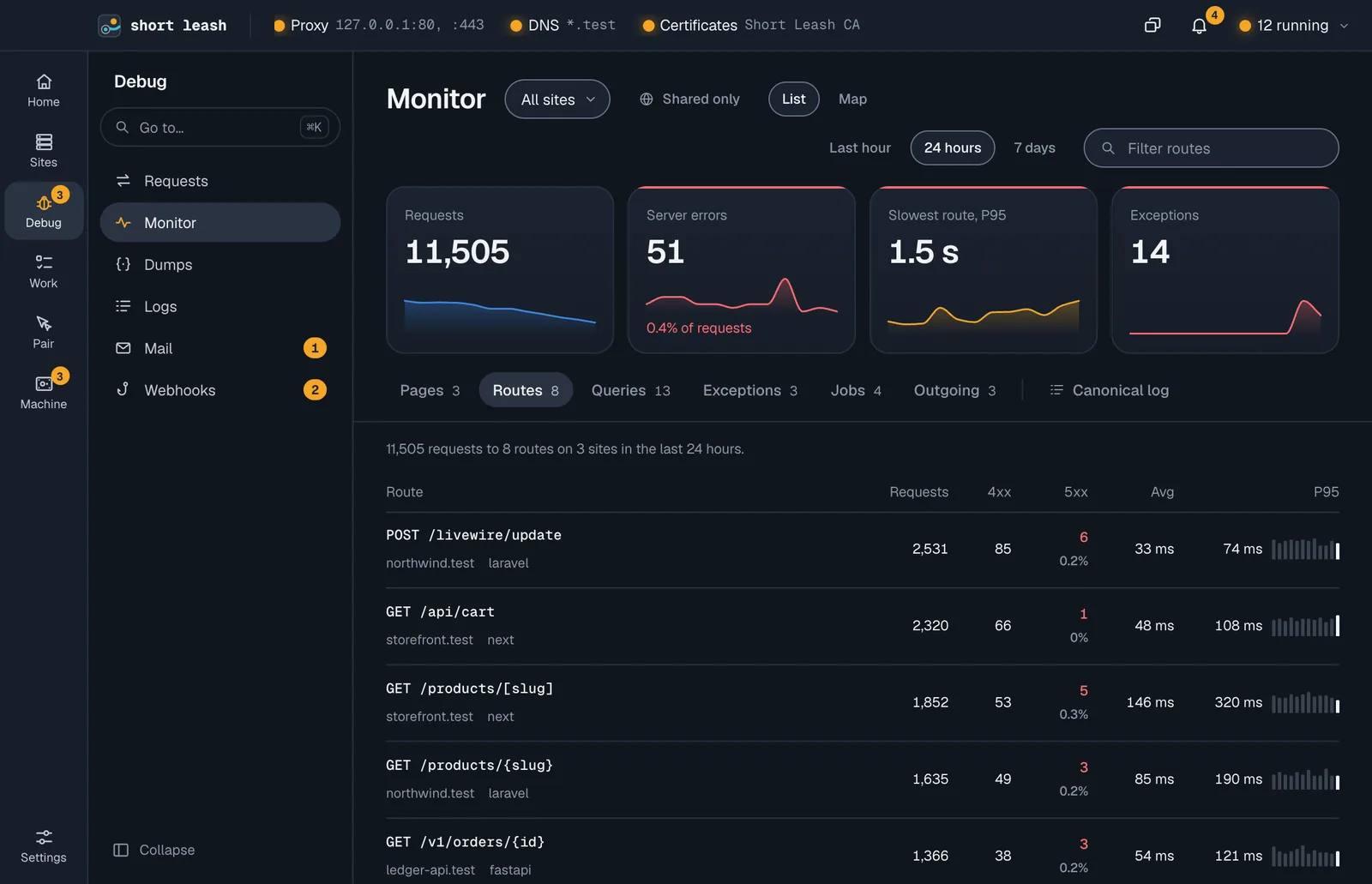
The Monitor screen adds requests up over the last hour, 24 hours or 7 days: requests, server errors, the slowest route's P95 and exceptions, each with its trend. Under them, Pages, Routes, Queries, Exceptions, Jobs and Outgoing rank what needs a look.
Copy for agent on a finding copies what was found, where, and which leash mcp tools read more, ready to paste into a coding assistant. Copy as Markdown on an open exception, query, route, job, host or page copies what its panel shows for an issue or a pull request, with secrets masked.
A slow route's heatmap shows when it was slow. Pages carry their Web Vitals and JavaScript errors from a small script Short Leash adds for pages you open on this computer.
- History kept 7 days or 1 GB, secrets masked
- Notifies you of a route over a second, a new N+1, a new exception or a failed job
- Shared only shows what visitors did through a share
One wide line per request, and every log
The Canonical log writes one line per request, job or command with what matters about it: route, status, time, query count, N+1s, exceptions and your own fields. Search it by field, in the app or from a terminal.
Logs keeps the output of everything Short Leash runs, from PHP and workers to services and tunnels, with search as you type. Inside a site, it follows the project's own log files too, such as storage/logs/laravel.log. Click a line, then Copy for agent to hand it to a coding assistant with the lines before it.
From your terminal and your assistant
The leash command
leash monitor tail -f -q 'status>=500'leash requests --followleash logs --followEvery command is in the CLI reference.
Tools your coding assistant can use
Connect Short Leash once with claude mcp add --scope user leash -- leash mcp; Settings › Coding assistants (MCP) has the setup for other assistants. Coding assistants
Questions
How do I find N+1 queries in local development?
Open the request on Requests. Its Queries tab groups queries by shape and marks the one that runs again and again with different values as an N+1, with the query before it and a fix to copy, such as ->with('customer') in Laravel.
Do I need to install a package in my project?
No. Short Leash's agents load the way each runtime allows, for Laravel, WordPress, Django, Flask, FastAPI, Rails, Express, Next.js and more. Anything that sends OpenTelemetry shows up too, on 127.0.0.1:9914.
How long does the Monitor keep requests?
7 days or 1 GB, whichever comes first, oldest first. Hourly counts for routes and pages are kept 30 days. Change both in Settings › Monitor.
Are passwords and tokens saved to disk?
Not as they were. Before anything is saved, cookies, authorization headers, values with secret-looking names and values that look like tokens become [masked]. History is readable only by your account.
Start free, try Pro for 14 days
Download Short Leash for Mac or Windows. Every Pro feature is on for your first 14 days, with no card and no account.