Terminals, scratchpads and tasks that live with each site
Every site in Short Leash has its own pages. Its terminals open in its folder with its runtimes, scratchpads run code with the app booted, Changes shows what you or an agent changed, and its task board is shared with your coding agents, who hand finished work back for your review.
Scratchpads, branch workspaces and Changes' Git actions and AI are part of Short Leash Pro; terminals, Changes and tasks are free. Every Pro feature is on for your first 14 days. Pricing
The Overview of northwind.test. Needs a look lists a missing .env key, unlinked storage and two migrations that haven't run; Run migrations runs them and shows the output. Then an agent working in the terminal docked at the bottom asks a question and rings the bell, and Needs a look shows that terminal zsh 2 is waiting, with Open.
What needs you, with the fix beside it
A site's Overview opens on Needs a look: migrations that haven't run, an APP_URL that isn't the site's address, keys missing from .env, storage that isn't linked. Each comes with its fix, such as Run migrations or Link storage.
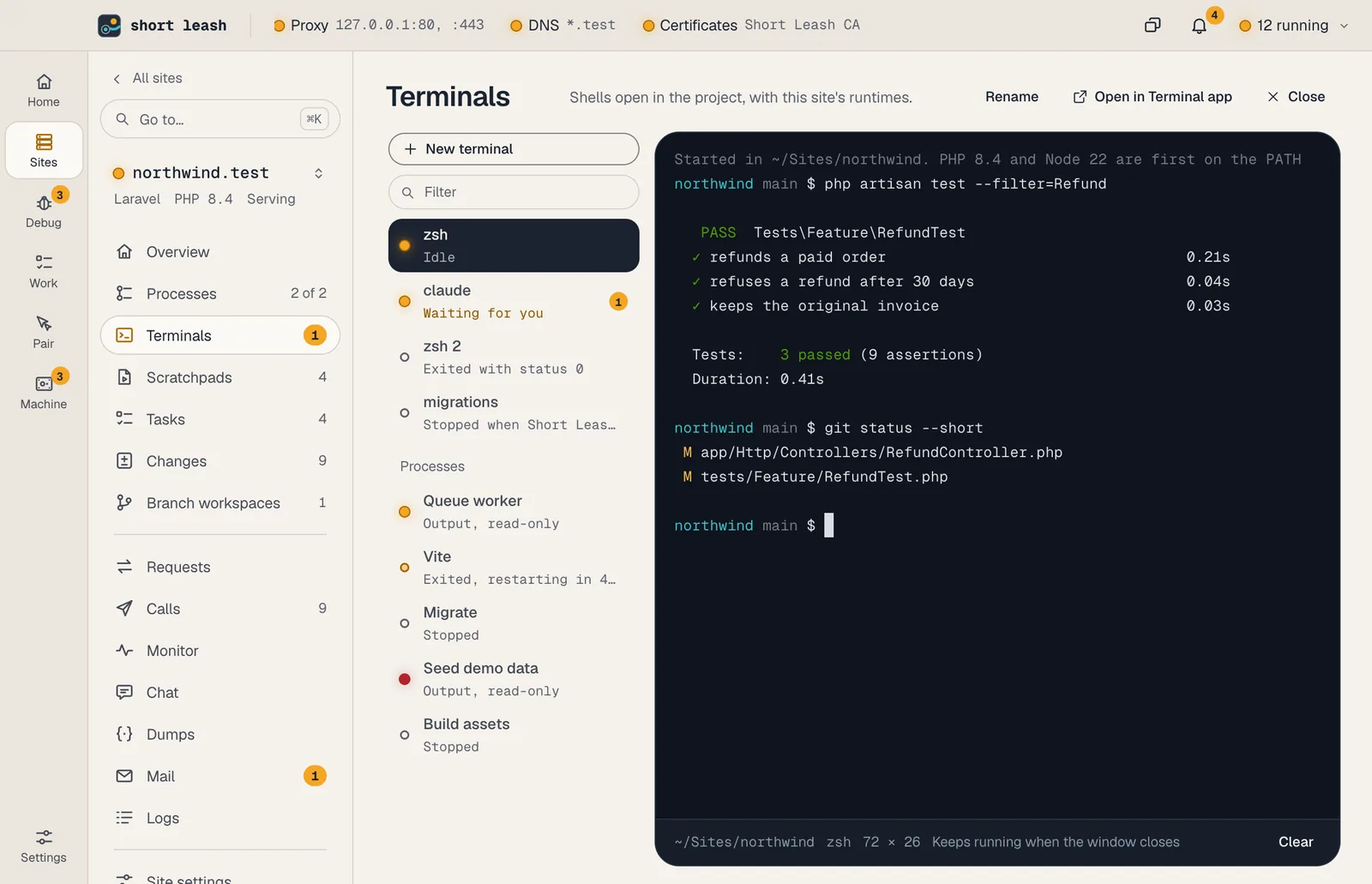
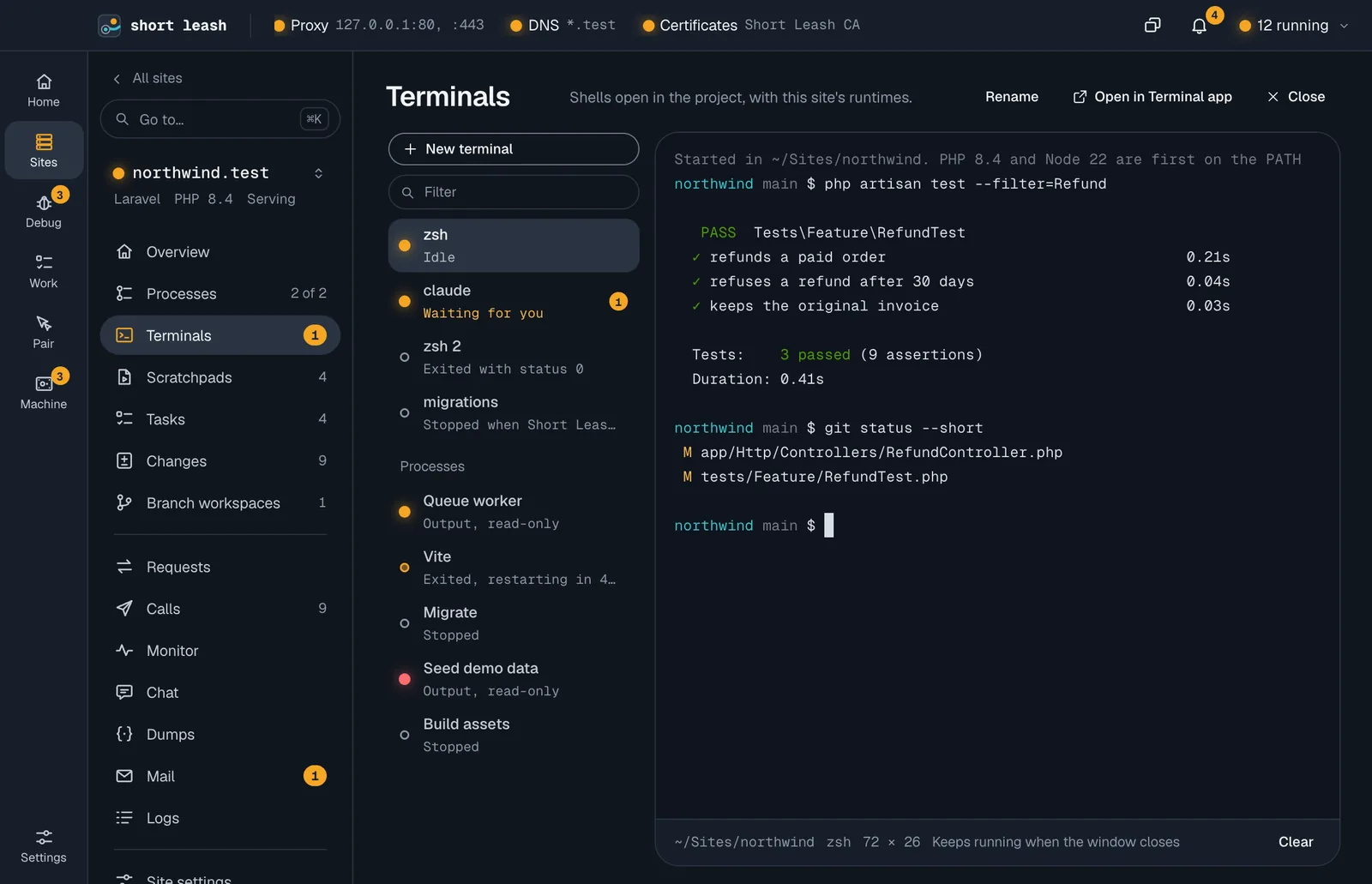
Site terminals open in the site's folder with its PHP, Node and environment first. When an agent in one rings the bell, its row says Waiting for you, and Needs a look lists it too.
- New terminal, or ⌘T anywhere in a site
- A bell or a desktop notification from a program marks its terminal
- Terminals keep running when you close the window
Try code in the app, then read the diff
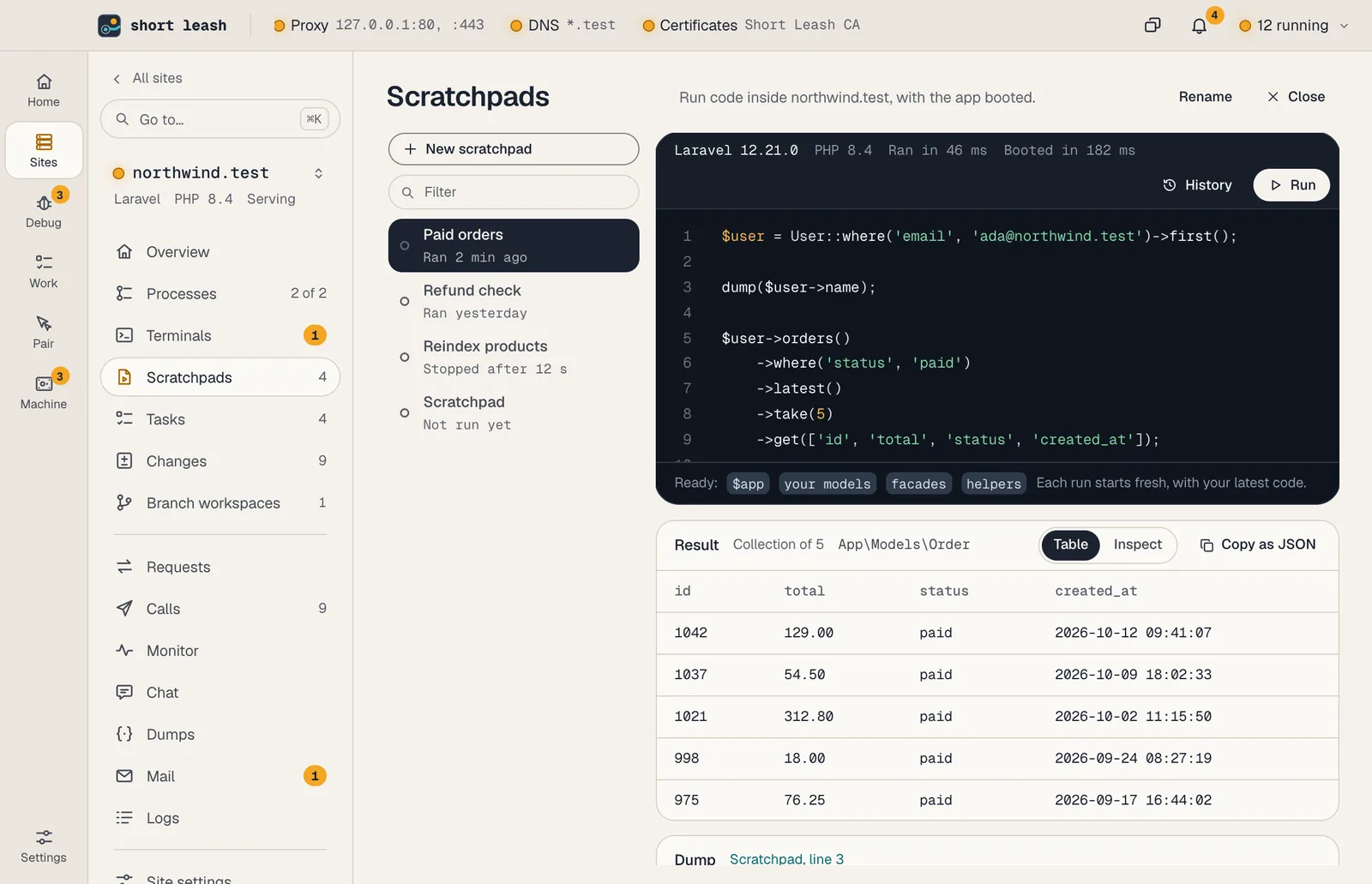
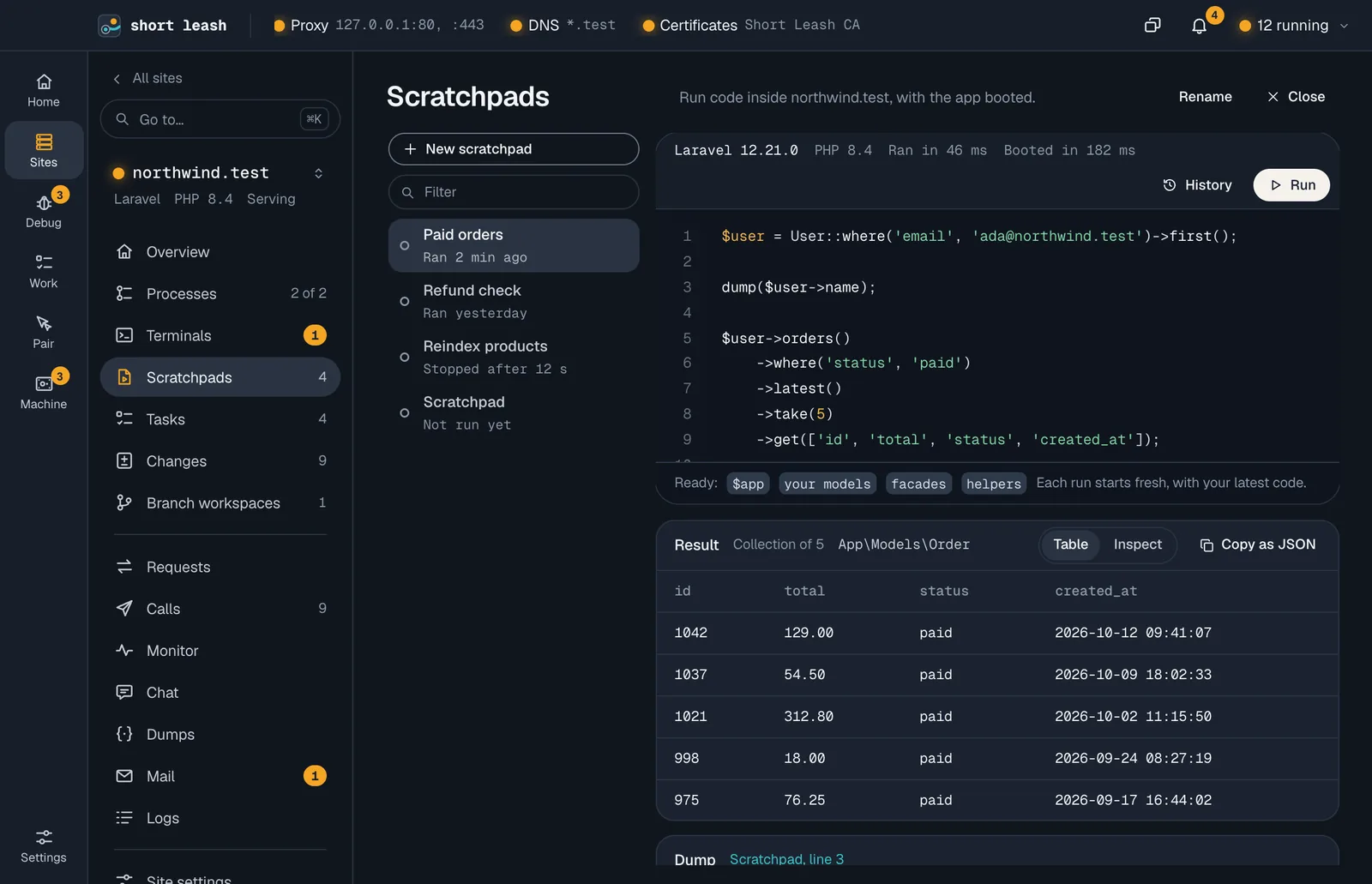
A scratchpad runs code inside the site with the app booted, the way its own commands boot it: 20 drivers, from Laravel, WordPress and Symfony to Django, Rails, Next.js and Go. You get the last line's value, what it printed, its dumps and every query, each with Explain.
Changes shows what you or an agent changed since the last commit, file by file, unified or split. Copy patch copies all of it for a review or for an agent, and Explain asks Short Leash's local model what a file's change does, beside its diff, and Ask in chat opens the site's chat with the diff read in, for follow-up questions. Comment on a line for yourself or your agent, or choose Review this file and keep or dismiss what the model says. Stage or unstage each file or everything, and discard what you don't want: Short Leash asks first, says what's lost, and leaves a copy in the Trash. Then write a message, or let Draft message write one with the local model, and choose Commit or Commit & push. Hooks run only in folders you trust, and pushes are never forced.
- Run, or ⌘↩; a new process each run, stopped after 60 seconds
- Stage, discard, commit and push; checked again every 10 seconds while it's open; comments follow their line as the code moves
A branch beside your site
A branch workspace is a second checkout of your site for one branch, served at <branch>-<site>.test beside the site itself, so you can try a fix or let an agent work on it while the site keeps running. Short Leash copies in the files Git ignores, so it boots like the site, and gives it the site's settings.
Choose its database: Shared with the site, a Copy of it, or Empty, on the same MySQL, MariaDB, PostgreSQL or SQLite. When the branch is ready, Merge into main merges it back in the site's folder, pushes if you ask, and can remove the branch workspace after. Hooks run only in folders you trust.
- New branch workspace on a site's Branch workspaces page
- Merges stop on a conflict and change nothing
Tasks and notes your agents can use
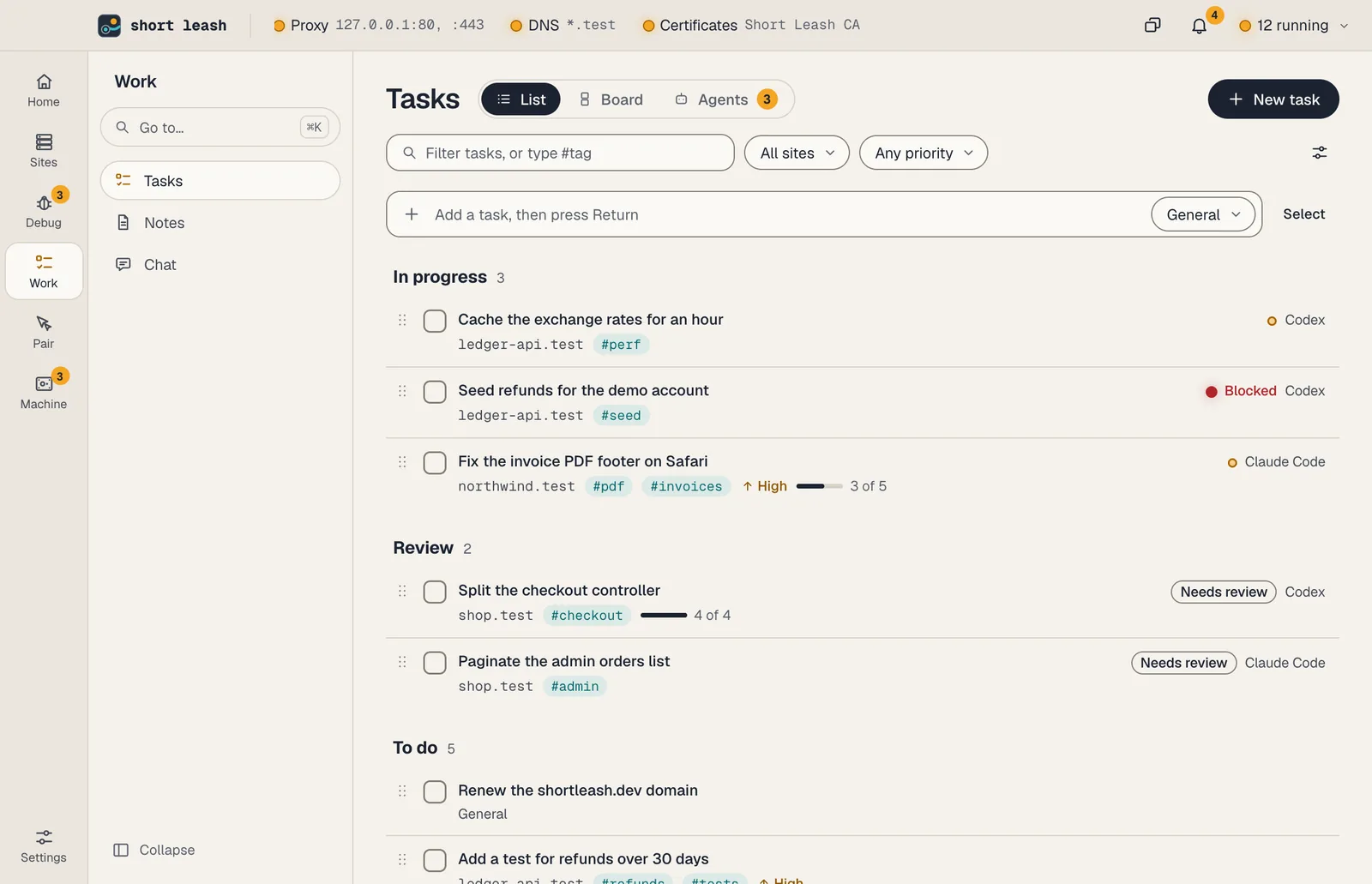
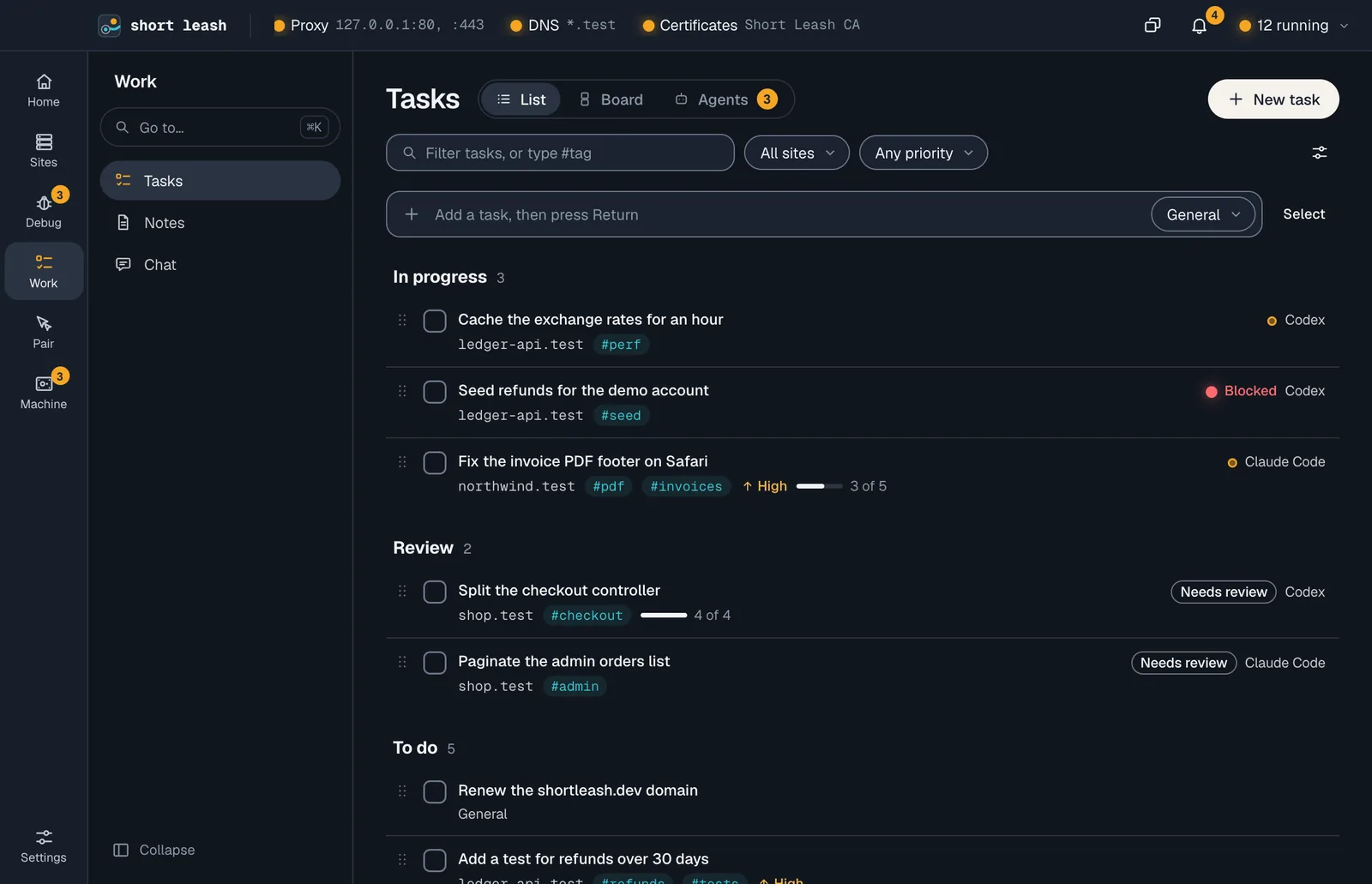
Each site has its tasks, and Work › Tasks shows every list with General first, as a List, a Board or what your Agents are doing. An agent claims a task before it starts, posts progress, says when it's stuck and hands finished work back, which waits in Review until you choose Mark done or Send back. Deleting a task has Undo.
Work › Notes keeps Markdown notes about a site or none, written in Edit, Split or Preview, with #tags, [[links]] between notes, checklists you tick in the preview and pasted pictures. Agents can read them, add new ones and add to yours. Any screen can dock beside the page or float in its own window, and ⌘K finds any site, page or action.
- Each task keeps its activity: claims, agents' notes, ticked steps and reviews
- Dock bottom keeps a terminal in view on every screen
- Go to… (⌘K) has New terminal in … for each site
From your terminal and your assistant
The leash command
leash task listleash task add "Fix the cart total" --tag cartleash task review 2 "Rounds once" --by Codexleash scratchpad listleash notes list --tag deployleash changes commit -m "Add invoice numbers"leash workspace add fix/loginEvery command is in the CLI reference.
Tools your coding assistant can use
Connect Short Leash once with claude mcp add --scope user leash -- leash mcp; Settings › Coding assistants (MCP) has the setup for other assistants. Coding assistants
Questions
How do I know when an AI agent in a terminal is waiting for me?
When a program rings the terminal's bell or sends a desktop notification, its row says Waiting for you with a badge, the site's Overview lists it under Needs a look, and Short Leash raises a notification. A bell straight after you type doesn't count.
Can AI coding agents share a task list with me?
Yes. Through leash mcp, an agent lists a site's tasks, claims one before it starts so two agents never work on the same task, posts progress with task_note and says what's in the way with task_block. Every step shows in the task's activity, and Agents in Tasks shows who is working on what.
Can I review an AI agent's work before it's marked done?
Yes, and it's on to begin with. When an agent finishes, the task moves to Review with its summary and Short Leash notifies you. Mark done finishes it, and Send back returns it to To do with your note, which the agent reads the next time it reads the task.
What can I run in a scratchpad?
Code in the site's own language, inside the booted app, from Laravel models and WordPress functions to Django, Rails, Next.js and Go. Each run is a new process, so it always runs the code in your project now.
Can Short Leash commit my changes?
Yes. On a site's Changes page you stage files, write a message or let Short Leash's local model draft one, and choose Commit or Commit & push. Hooks run only in folders you trust, and Short Leash never force-pushes or sees your credentials.
Can I run two branches of a site at once?
Yes. New branch workspace on a site's Branch workspaces page checks out another branch in a folder beside the site's, copies in the files Git ignores (.env, vendor, node_modules), and serves it at its own address, such as fix-login-shop.test, with its database shared, copied or empty. When you're done, Merge into main merges it back in the site's folder, and Remove branch workspace moves its folder to the Trash and keeps the branch.
Can I see everything a branch changed?
Yes. This branch on a site's Changes page shows what the branch committed since it left its base branch, the diff its pull request shows, computed on your computer.
Can chat read my pull request?
Yes, once you turn on Let chat read pull requests from GitHub in Settings › Chat. Short Leash asks GitHub through your own gh sign-in, never sees your token, and never posts. The pull request's text is marked as outside text.
Can Short Leash explain a change?
Yes. On a site's Changes page, Explain asks Short Leash's local model what the selected lines or the whole file's change does. It runs on your computer, gets no tools, and its answer is marked as outside text.
Can my coding agent read my review comments?
Yes. Through leash mcp, list_change_comments lists a site's open comments with each line's text, and resolve_change_comment marks one done. Copy for agent copies them as text for any agent. Comments from Review this file reach agents only once you keep them, marked as outside text.
Can I link notes and paste screenshots into them?
Yes. Notes are Markdown with a preview beside them. [[Another note]] links to a note, #deploy tags one, and a pasted PNG, JPEG, GIF or WebP picture is kept on your computer, never sent anywhere. Renaming a note updates the links to it.
Do site terminals keep running when I close Short Leash?
Yes, they belong to Short Leash's background service. Close the window, or quit with Keep sites and services running after you quit Short Leash on, and each terminal carries on with its recent output kept.
Start free, try Pro for 14 days
Download Short Leash for Mac or Windows. Every Pro feature is on for your first 14 days, with no card and no account.