Sites
On this page
Every folder you park or link becomes a site at https://<folder>.test, served the way its framework expects, with no config files.
Add projects
Park a folder to serve every project inside it: ~/Sites/shop becomes https://shop.test. New folders are picked up as you create them.
leash park ~/Sites
Link a project to serve one folder, optionally under another name:
cd ~/Code/api && leash link          # api.test
cd ~/Code/api && leash link billing  # billing.test
A name another site already answers at, as its address or an alias, isn't linked: Short Leash says which site has it. Linking a folder that's in a parked folder under another name gives it a second address.
Moving from another local development tool? Import its sites instead of adding them again.
In the app, use Park a folder or Link a project under Add site on the Sites screen, or Settings › Folders. Click a site to open it: its pages, from Overview to Terminals and Tasks, are described in Inside a site.
Change a site's address
A site's address comes from its folder, but it doesn't have to. Open the site's Site settings and choose Change next to its Address to give it another name: ~/Sites/northwind can answer at shop.test without renaming the folder.
- Its settings, background processes, aliases and webhook destinations move to the new name, and whatever was running restarts under it.
- Sharing stops. Share the site again to share it under its new name.
- If the project's
.envhasAPP_URLpointing at the old address, Short Leash updates it. - Choosing the folder's own name again makes it a plain parked site again, and so does
leash unlink.
cd ~/Sites/northwind && leash rename shop # northwind.test is now shop.test
Aliases
A site can answer at more names, too: Add alias under its Address adds one, like legacy.test for a project that used to live there. An alias opens the same site with the same settings, HTTPS included, and its subdomains work like the site's. Each name belongs to one site: Short Leash says which site already has it.
leash alias add legacy      # also answers at legacy.test
leash alias remove legacy
leash alias                 # list them
Find a site
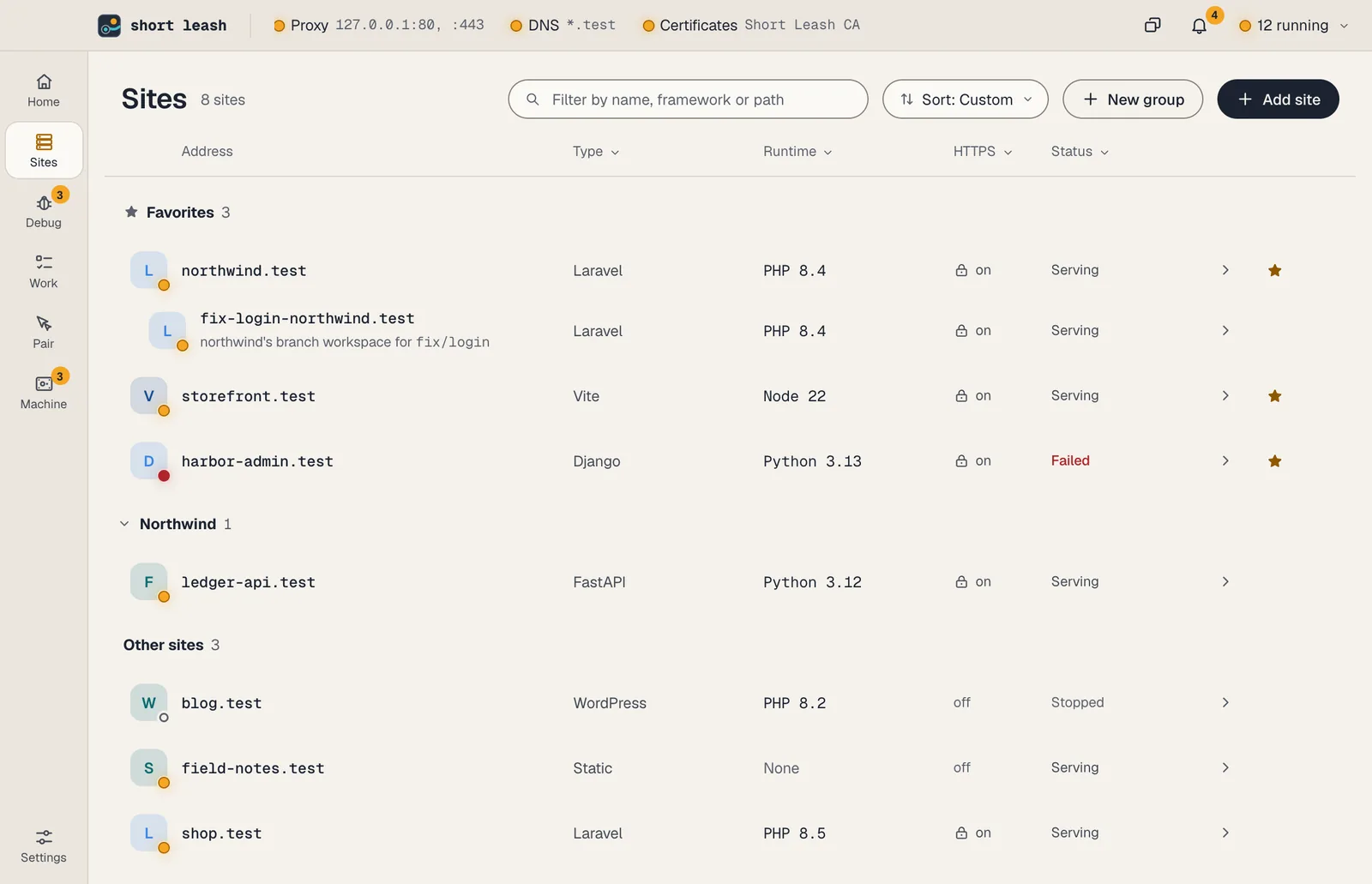
The list draws only the rows in view, so a hundred sites scroll as smoothly as six. Type in the search box to narrow it by name, framework, runtime or folder. To filter by a column, click its heading (Type, Runtime, HTTPS or Status) and tick the values to show. Each value shows how many sites have it, given the other filters. Filters on different columns combine, Clear filters shows every site again, and in a narrow window the same filters sit in a row above the list.
Favorites, groups and your order
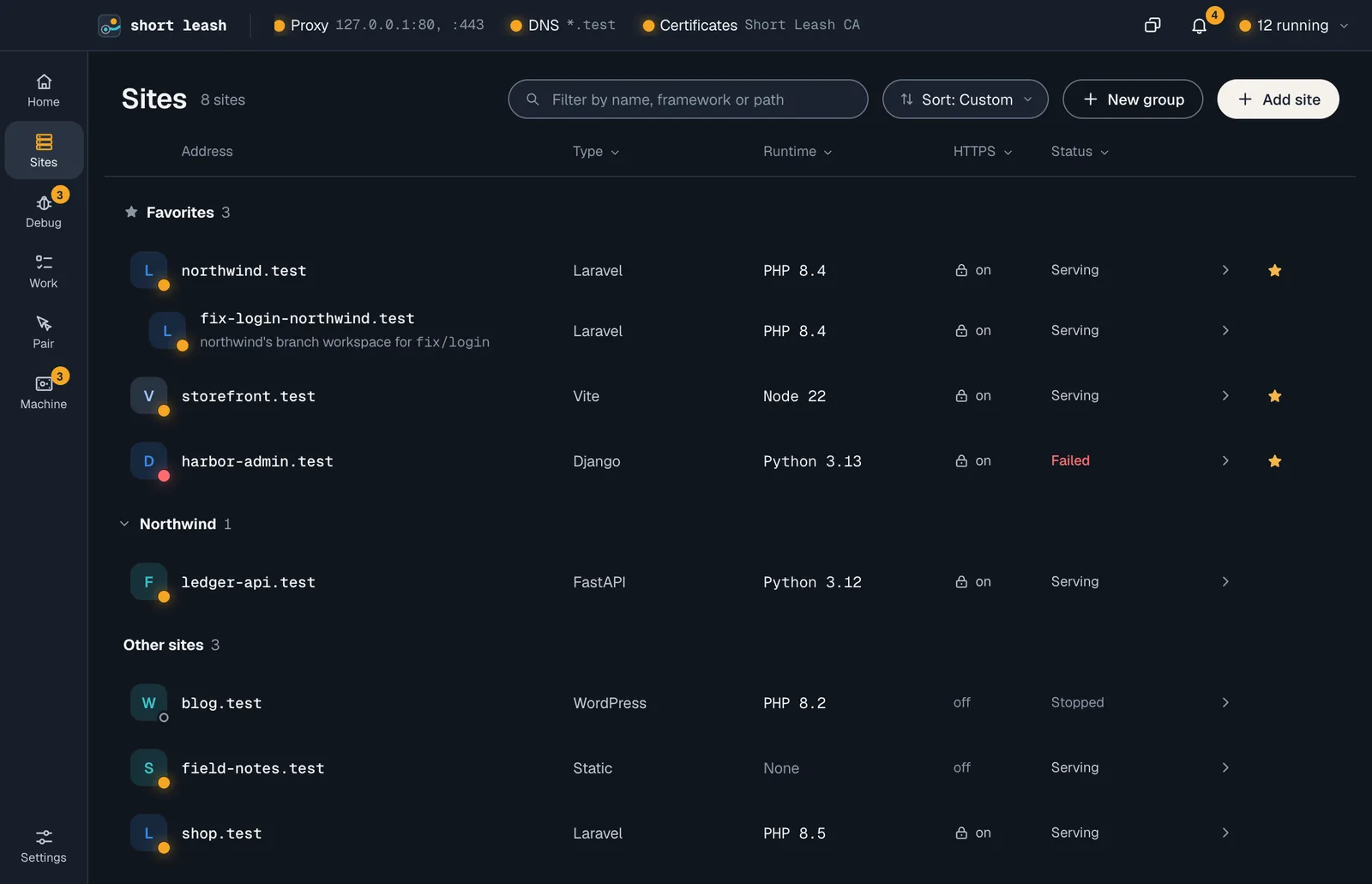
The list puts Favorites first, then your groups, then Other sites, in the order you give them.
- Star a site (the star at the end of its row) to keep it under Favorites. Unstarred, it goes back to where it was in its group. Favorites show first in the site switcher (⌘O) and the menu bar too.
- Drag a site by its grip, the dots that show to the left of it when you point at the row, to put it anywhere in the list: between two sites, into another group, or into Favorites. Held over a folded group for a moment, the group opens, and folds again if you drop the site somewhere else. From the keyboard, focus the grip and press Option (Alt on Windows) with ↑ or ↓: the site moves one place, and past a heading it joins that group.
- New group (beside Add site) asks for a name and adds an empty group to drag sites into. A site's menu (⋯) has Move to and New group with this site. A group's heading folds it, keeping its sites' lamps in view and saying how many failed. Its menu has Rename and Remove group: the sites move to Other sites, and Undo puts the group back.
- Sort sorts inside each section: Custom is your order and the only one you can drag in, Name goes A to Z, and Running first puts failed sites first, then running, then stopped. Each window remembers its choice.
- Choosing many sites (below) adds Add to favorites and Move to.
A branch workspace always sits under its site. Favorites, the order and groups are kept with Short Leash's preferences in config.toml, so they survive restarts and updates; leash sites and the agents' list_sites keep listing by name.
Change many sites at once
Point at a site's tile and it turns into a box: click it to choose the site. Shift-click another to choose every site between them, ⌘A (Ctrl+A on Windows) chooses every site the filters show, and Esc or Clear lets them go. Clicking a site's name still opens it.
While sites are chosen, the column headings become a row that says how many, with Start, Stop, Restart, Add to favorites, Move to and More: Turn HTTPS on, Turn HTTPS off, and Change PHP version… (or the chosen sites' other runtime) when every chosen site uses the same one, with the versions you've installed. Each action skips the sites it has nothing to do for, like a site that's already running. When it's done, one message says what happened, naming any site that failed and why, so you can try again from that site's page. Sharing and removing stay one site at a time.
From the terminal, leash start, stop, secure and unsecure take several sites. Every name is checked before anything changes, and a site that fails doesn't stop the others:
leash stop shop blog
leash secure shop blog ledger-api
What serves each site
Short Leash looks at each folder and picks the first match:
| It finds | Served as |
|---|---|
artisan |
Laravel (Statamic when please is there too), from public/ |
wp-config.php or wp-load.php |
WordPress (Bedrock when it's under web/) |
craft and web/index.php |
Craft CMS |
core/lib/Drupal.php in web/, docroot/ or the project folder, or Drupal 7's includes/bootstrap.inc and misc/drupal.js |
Drupal, from the folder it's in |
bin/magento and pub/index.php |
Magento 2, from pub/ |
administrator/index.php and libraries/src/Version.php (or libraries/cms/version/version.php) |
Joomla |
bin/cake.php and webroot/index.php |
CakePHP, from webroot/ |
kirby/bootstrap.php |
Kirby, from public/ when it has an index.php |
bin/console and public/index.php |
Symfony |
public/index.php or index.php |
PHP |
manage.py |
Django, as WSGI or ASGI |
A FastAPI(, Starlette( or Flask( app in main.py, app.py, app/main.py and similar |
FastAPI, Starlette or Flask |
deno.json or deno.jsonc |
A Deno project, run with its dev or start task |
Gemfile with config/application.rb, or with config.ru |
A Rails or Rack app, after bundle install if gems are missing |
go.mod |
A Go module, run with air when there's an .air.toml, otherwise go run . |
package.json with a dev or start script |
A dev server, started with pnpm, yarn, bun or npm to match the lockfile |
A Procfile with a web process |
That command, with $PORT filled in and 0.0.0.0 or :: binds changed to 127.0.0.1 |
index.html in dist/, build/, _site/, out/ or public/ |
A static site, with a single-page-app fallback |
index.html |
A static site |
For Magento, files missing under /static/ are built by static.php and missing images under /media/ by get.php, as Magento's own server config does.
Short Leash never serves a dotfile or dot folder as a file, such as .env or .git/config, except under .well-known. A PHP site's front controller gets those requests instead, and a static site answers 404. A static site also never serves a file through a link that leads out of its folder; links to elsewhere in the folder work.
Magento 2.4 also needs OpenSearch, which Short Leash doesn't run; point Magento at your own.
To run something else, set the command yourself. Short Leash gives it a free port between 20000 and 31999 in $PORT and proxies the site to it:
leash run storefront "npm run dev -- --port $PORT"
Dev servers start on the first request and keep running, with WebSockets and hot reload passed through. For an app you start yourself, send the site to its port instead (see An app on a port).
Document root
When Short Leash serves a PHP or static site from the wrong folder, pick the right one in the site's Site settings › Document root, or from the terminal:
leash docroot web          # serve web/ instead
leash docroot .            # serve the project folder itself
leash docroot auto         # go back to the folder Short Leash detects
leash docroot              # show the folder served now
The folder must be inside the project: ../other or an absolute path is refused, and so is a folder that is, or goes through, a link (a junction on Windows) to a folder outside the project. Short Leash checks that again on every request, so a link swapped in later serves nothing: the page and the site's Overview say "public is a link to a folder outside the site. Point it at a folder inside the site." Inside the served folder, a file or PHP script, the front controller included, reached through a link that leads out of the project isn't served or run either (it's not found), while links that stay inside, like Laravel's public/storage, work. A folder where Short Leash detected nothing becomes a PHP site when it has an index.php, and a static site otherwise. Sites that run their own server, like Python apps and dev servers, aren't served from a folder, so the setting doesn't change them.
An app on a port
For an app Short Leash doesn't start, such as one in a container or a server you run from your own terminal, send the site's requests to the port it listens on. Set Site settings › Port, or from the terminal:
leash proxy 3000           # send shop.test to the app on port 3000
leash proxy                # show the port used now
leash proxy off            # serve the site from its folder again
The Port field takes the port number. In the terminal you can paste localhost:3000, 127.0.0.1:3000 or http://localhost:3000/ too; any host other than this computer is refused. Short Leash tries 127.0.0.1 and ::1 at once, uses whichever answers and tries that one first next time. It never sends requests to another computer. Short Leash's own ports (HTTP, HTTPS, DNS and the share listener) are refused, and a site given one by hand in config.toml shows the same refusal instead of forwarding.
- Short Leash never starts or stops that app. Setting a port stops a dev server Short Leash was running for the site. To have the app start with the site, add a keep-running process that starts it.
- HTTPS and sharing work as for any site. Short Leash adds HTTPS in front, so the app must speak plain HTTP on that port. A shared port site goes through the same IP allowlist and password as any other.
- One port site's app can call another through Short Leash, such as a Vite dev server proxying
/apitohttps://api.test. A request that comes back to a site it already went through, or goes through more than eight port sites, gets an error page saying the port leads back to Short Leash. - Apps that check the
Hostheader need the.testname allowed in their own settings, such asserver.allowedHostsfor a Vite dev server. - When nothing answers on the port, the site shows a stopped ring with "Nothing answers on port 3000", Needs a look says to start the app, and a request gets an error page that says "Nothing answers on port 3000. Start what serves this site, then reload." The site has no Start button then, because Short Leash doesn't start that app; start it yourself, and the lamp turns amber within about five seconds, when Short Leash next checks the port. Stop on a port site only stops Short Leash sending requests to it, and Start sends them again.
- Its Overview fits it. The Project section names the port instead of a framework, Uses and Create database show only when the folder has a
.env, and a 502 from nothing answering doesn't count toward the slowest 5% of pages.
A port belongs to a site, so a name needs a folder. For an app with no project, link any folder under the name you want, then send it to the port:
mkdir ~/grafana && cd ~/grafana
leash link grafana         # grafana.test
leash proxy 3000
HTTPS
Every site is served over HTTPS with a certificate from Short Leash's own certificate authority. Certificates are issued on demand and renewed automatically. leash unsecure <site> serves a site over plain HTTP instead.
Tools that don't use the system keychain, like Node or Python scripts, may need the certificate authority. Print it with:
leash ca > ~/leash-ca.pem
export NODE_EXTRA_CA_CERTS=~/leash-ca.pem
Versions per site
Each site can use its own PHP, Python or Node version. Choose it on the site's Site settings, or from the terminal:
leash isolate 8.2 --site legacy
leash unisolate --site legacy
A PHP site that isn't pinned runs on the default when its composer.json allows it, and otherwise on the newest installed version that does (see PHP). Node versions are also read from .nvmrc and .node-version. See PHP, Python and Node.
To share a site's versions and settings with everyone on the project, commit a leash.toml in its folder, or write one from the site with leash init. See Project file.
Background processes
A site can keep processes running alongside it: queue workers, schedulers, Vite. Short Leash suggests the usual ones for the framework it found. Add them on the site's Processes page, or:
leash process add "php artisan queue:work"
leash process list
Short Leash's suggestions include:
- Laravel: Horizon or a queue worker, the scheduler, plus Reverb, Octane, Pulse, the Nightwatch agent and Inertia SSR (
php artisan inertia:start-ssr) when the project uses them. - Symfony: a Messenger worker (
messenger:consume async), and the scheduler (messenger:consume scheduler_default) whensymfony/scheduleris installed. - Node: the
devandwatchscripts. - Django: a Celery worker.
- Rails: Sidekiq, GoodJob or Solid Queue when they're in
Gemfile.lock, and the processes inProcfile.dev. - Any project with a
Procfile: every process exceptweb(Short Leash serves that) andrelease.
Starts on a process: When you start it, With Short Leash, or On first visit: the first request to the site since Short Leash or the site started starts it. When that starts Vite (vite, or the package manager's dev script), a Laravel site's first request waits for it, up to 10 seconds, if the site has no built assets. leash process add --on-visit adds a process without starting it. Switching to With Short Leash starts the process straight away if it isn't running, unless the site is stopped. Stopping the process keeps it stopped until Short Leash or the site starts again. Either way, Short Leash restarts it if it stops on its own. From the terminal:
leash process add "npm run dev" --name Vite --on-visit
leash process starts vite with-leash   # or manually, on-visit
One that stops by itself with exit status 0 shows as stopped, not as an error. Output on a process opens its output in the site's Terminals; every line is also in Logs.
Commands that run once
Some commands do their job and stop: migrations, a build, clearing caches, the tests. Add them under Run once on the site's Processes page: choose Runs once in the add form, or pick one of the suggestions marked Runs once (installing PHP or Node packages, migrating, building assets, clearing caches, the tests, and a Procfile's release step). From the terminal:
leash process add "php artisan migrate" --name Migrate --once
leash process run migrate
They run only when you ask: Run on the page (it turns into Stop while the command runs), Run Migrate in northwind.test in Go to, leash process run, or the run_process tool for AI agents. Never with the site or with Short Leash.
Each one shows how its last run ended: Running for 12 s, Done 2 min ago, took 1.8 s (exit status 0), or Failed with its exit status and the last line of its output (with a red lamp, and a notification like any failed process). A run that finishes while the page is open shows a short message with a link to its output. leash process run waits for the command and exits with its status, so it fits in scripts.
Environment variables
Give a site its own environment variables under Environment on its Site settings, or:
leash env set APP_ENV staging
leash env list
leash env unset APP_ENV
The site's server, its background processes and leash php see them. PHP sites also get them on every request, through getenv() and $_SERVER. Changing a variable restarts the site's processes, and its server starts again on the next request.
Values in the project's own .env still load as usual; frameworks that read .env generally keep a variable that's already set, so a site variable wins. When a site variable has the same name as one in .env, Environment says "Overrides .env", whether the value is the same or different, and the .env value beside it; values of keys that could hold a secret (keys, tokens, passwords, URLs) show as "hidden". Typing such a name in the form to add a variable says so before you add it. Short Leash sets PATH, PORT, HOST, LEASH_SITE, PHPRC and PHP_INI_SCAN_DIR itself, so a site can't change those. A variable from the project's leash.toml says "From leash.toml" and is changed in that file: Environment has no Remove for it and leash env unset refuses it, but a value you set in Short Leash wins over the file's.